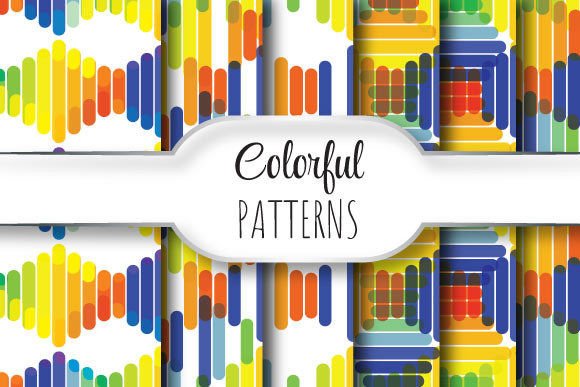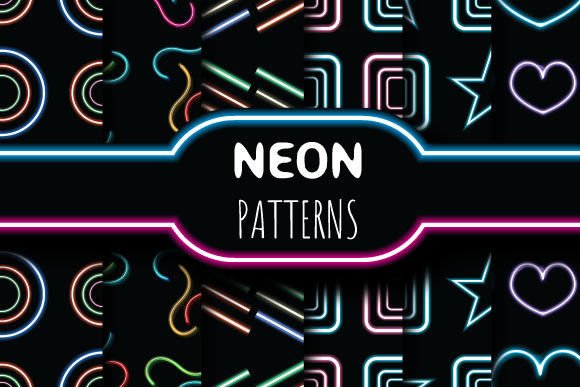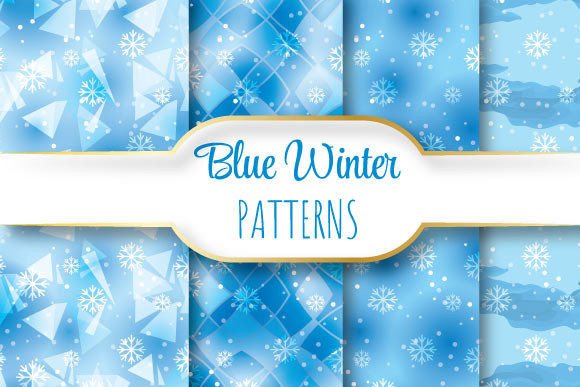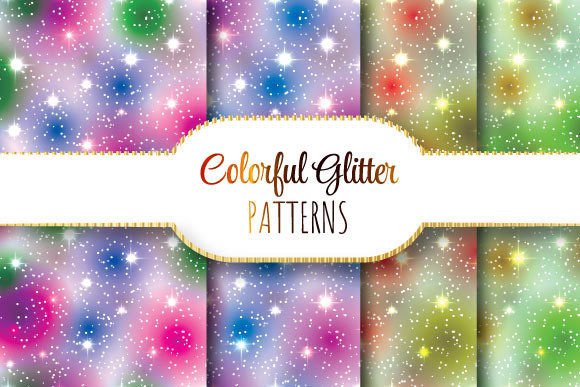
Colorful Glitter Patterns: Seamless Vector Designs Built for Real-World Creativity
Whether you’re designing luxury packaging, crafting social media assets for a boutique brand, or prepping print-ready stationery for a high-end wedding suite, Colorful Glitter Patterns deliver more than just visual sparkle—they offer precision, versatility, and professional-grade reliability. These aren’t generic glitter textures slapped onto a canvas. They’re meticulously engineered, seamlessly repeating vector patterns—each one crafted to scale flawlessly across any surface without distortion, repetition glitches, or pixelation.
What Makes These Patterns Stand Out?
At their core, these Colorful Glitter Patterns are built on two non-negotiable foundations: seamless tiling and vector fidelity. Unlike raster-based glitter overlays that blur or break when enlarged, each pattern is native to EPS 10—a format that preserves mathematical curves, anchor points, and scalability at any size. That means whether you’re applying the pattern to a business card or a 6-foot trade show backdrop, the glitter effect stays razor-sharp, consistent, and crisp.
The dimensions—12 × 12 inches at 3600 × 3600 pixels, 300 dpi—are no accident. This resolution strikes an intentional balance: it’s large enough for demanding print applications (think foil-stamped invitations or textured gift wrap), yet optimized for smooth performance in Adobe Illustrator, InDesign, and Affinity Designer. And because every pattern repeats without visible seams, you can tile it infinitely across complex shapes—curved labels, die-cut boxes, or even custom-shaped web banners—without ever seeing a “join line.”
Inside the Zip: One EPS, Four JPEGs—Why It Matters
Each download arrives as a single ZIP file containing one EPS file and four JPEG previews. That structure isn’t arbitrary—it reflects how designers actually work.
- The EPS file is your production engine: fully editable, layer-friendly, and compatible with industry-standard vector software. You can recolor individual glitter elements, isolate sparkles for masking, or adjust spacing using Illustrator’s Pattern Options panel.
- The four JPEGs serve distinct practical roles: a full-size 300 dpi version for client proofs, a web-optimized 72 dpi preview for quick mockups, a close-up detail shot to assess sparkle density and color harmony, and a grayscale version to test contrast and legibility when overlaid with text.
This dual-format approach saves time—and avoids costly missteps. No more guessing how a glitter texture will behave under CMYK conversion or on uncoated stock. The JPEGs give immediate visual context; the EPS gives total control.
Where These Patterns Shine (Literally and Figuratively)
Colorful Glitter Patterns thrive where aesthetics meet function—especially in markets that rely on tactile perception and emotional resonance.
In packaging design, a subtle gold-and-rose glitter pattern adds premium weight to cosmetic boxes or candle labels—without requiring expensive foil stamping. Because it’s vector-based, you can apply it to irregular die-cuts or wrap it around cylindrical containers using Illustrator’s 3D Revolve tool—all while maintaining perfect alignment.
For digital creators, these patterns bridge the gap between static assets and motion-ready elements. Import the EPS into After Effects via Adobe Media Encoder (with Illustrator layers preserved), then animate opacity or scale on individual glitter clusters for organic shimmer effects—ideal for Instagram Reels intros or TikTok product reveals.
Even in interior design visualization, they’re gaining traction. Designers use them as texture overlays on digital mood boards to simulate glitter-flecked wallpaper, metallic wall panels, or embroidered upholstery—giving clients an intuitive sense of materiality before physical samples arrive.
Real-World Use Cases You Can Adapt Today
- Wedding Branding: Apply a soft lavender-and-silver glitter pattern as a background layer behind monogrammed vellum overlays. Scale it to fit 5×7” save-the-dates, then reuse the same EPS file for matching napkin prints and acrylic place cards—ensuring absolute consistency across 12+ touchpoints.
- E-commerce Product Mockups: Drop the pattern into a Smart Object in Photoshop, then warp it over a 3D-rendered phone case or tote bag. Because it’s seamless, the glitter flows naturally over curves and folds—no manual cloning or patching needed.
- Social Media Templates: Build a branded Canva template library using the JPEG previews as base layers. When launching a new campaign, swap in the EPS version for final export—keeping visual continuity while upgrading quality for paid ads or email headers.
Choosing the Right Pattern: Beyond Aesthetics
Selecting among Colorful Glitter Patterns involves more than picking your favorite hue. Consider three functional filters:
- Glitter Density: Some patterns feature tight, fine-point sparkles—ideal for elegant, understated projects like apothecary labels. Others use larger, bolder flecks suited for festival posters or youth-oriented apparel. Check the close-up JPEG to gauge how much “texture noise” the pattern introduces.
- Color Contrast Ratio: If you’ll overlay text or logos, verify readability against the pattern’s lightest and darkest areas. High-contrast combos (e.g., navy base + electric pink glitter) often hold up better than low-delta palettes (e.g., pale mint + silver) on screen or in dim lighting.
- Repeat Unit Behavior: Even seamless patterns can feel “busy” if the repeat interval is too short. Look for patterns where the visual rhythm feels natural—not mechanical. A well-designed 12×12 inch tile should suggest movement and depth, not a gridlocked loop.
Technical Notes Every Designer Should Know
These files are EPS 10—not EPS 8 or legacy formats—so they support transparency, gradient meshes, and modern Illustrator features like Global Colors and Recolor Artwork. But compatibility isn’t universal: older versions of CorelDRAW or free vector editors may render them incompletely. Always test your workflow first.
Printing tip: While the EPS embeds CMYK profiles, glitter patterns with neon or metallic tones (like holographic teal or iridescent copper) may shift slightly on press. Request a physical press proof if color accuracy is mission-critical—especially for Pantone-matched branding.
And one often-overlooked detail: file hygiene. Since each ZIP contains only one EPS and four JPEGs, there’s no bloat—no hidden fonts, unused swatches, or embedded raster images dragging down performance. That clean architecture means faster opens, smoother zooms, and fewer crashes during deadline crunches.
Why “Seamless” Isn’t Just a Buzzword Here
True seamlessness goes beyond invisible edges. It’s about predictability. With these Colorful Glitter Patterns, you know exactly how the design will behave when scaled to 200%, rotated 45°, clipped to a heart shape, or converted to a halftone for screen printing. There are no surprises—just reliable, repeatable results.
That reliability translates directly into client trust. When you present a glitter-accented logo lockup and confidently say, “This will look identical on a USB drive, a billboard, and a fabric banner,” you’re not just delivering art—you’re delivering assurance.
So whether you're refining a seasonal collection identity, elevating a Shopify store’s visual language, or building a cohesive brand system from scratch, these patterns do more than add shine. They add certainty. Clarity. Control. And yes—just the right amount of magic.